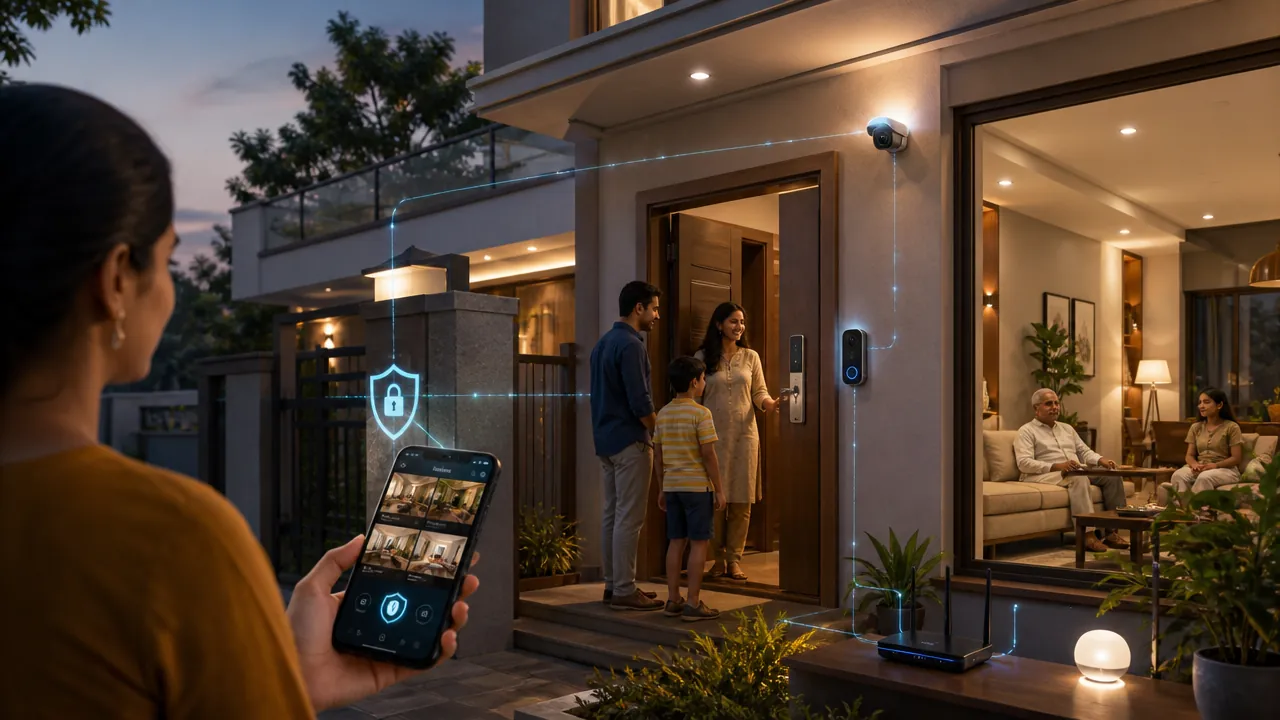
Buying a Smart Home in India: A Practical Guide to Security, Privacy and Long-Term Value
A smart home can make daily life more convenient. Lights can respond to schedules, cameras can send alerts, locks can provide temporary access, and sensors can help manage energy use. But every connected device also creates a long-term relationship with a manufacturer, mobile app, cloud platform and home network.
That relationship matters as much as compatibility with Alexa, Google Home or Matter. A device that works perfectly today may become difficult to secure if the manufacturer stops providing updates, changes its subscription model or shuts down its cloud service.
This guide explains how to evaluate smart home security in India before you buy. It focuses on device security, privacy, physical safety, support life, cloud dependence and practical Indian buying conditions such as power cuts, apartment living, domestic-worker access and local after-sales support.
The best smart-home purchase is not necessarily the device with the most features. It is the one whose risks, maintenance needs and ownership costs you can understand and manage.
Why Smart-Home Security in India Matters Beyond Compatibility
A connected device can affect privacy, physical safety and home access
A smart bulb usually presents a lower risk than an indoor camera. If the bulb is compromised, an attacker may control lighting or use it as an entry point into the network. A compromised camera, however, could expose family routines, conversations and private rooms.
A smart lock or gate controller carries a different kind of risk. A technical failure could prevent entry, while an account takeover could allow someone to unlock a door remotely. A baby monitor may reveal when a child is sleeping, who is at home and when the household is away.
The device’s physical location also matters. A camera facing an apartment corridor may record neighbours, delivery workers and visitors who never agreed to be monitored. A voice assistant in a living room can capture conversations involving guests, children or domestic workers.
Compatibility does not guarantee security or long-term support
Matter can improve interoperability between supported smart-home products, but it does not automatically guarantee:
- Local operation when the internet is unavailable
- Strong account security
- A particular period of software updates
- Good privacy practices by the manufacturer
- Replacement parts or functioning cloud services five years from now
Similarly, compatibility with a voice assistant does not prove that a device has secure firmware, sensible access controls or a clear data-retention policy. Treat compatibility as one buying criterion—not as a security certification.
Use a Four-Part Risk Test Before Buying Any Device
Instead of applying the same checklist to every product, rate the device across four questions.
1. How privacy-sensitive is the device?
Consider what the product can see, hear or infer. A temperature sensor is usually less privacy-sensitive than an indoor camera. A voice assistant may collect audio or interaction history. A smart meter or presence sensor can reveal household routines even without recording images.
2. What happens if the device is compromised?
Ask whether an attacker could:
- View or record people inside the home
- Unlock a door or operate a gate
- Disable an alarm or safety notification
- Learn when the house is empty
- Use the device to attack other computers on the network
3. How dependent is it on the cloud?
A product may require cloud services for remote access, notifications, account recovery, automations or even basic operation. Greater cloud dependence means greater exposure to outages, policy changes, data processing and subscription costs.
4. How long will you use it?
A low-cost sensor may be easy to replace. A smart lock, camera system or wired automation installation is more difficult and expensive to change. Products with a long expected life deserve stronger evidence of update support, repairability and offline operation.
A practical device-risk framework
| Risk tier | Typical products | Minimum requirements |
|---|---|---|
| Tier 1: Lower consequence | Smart bulbs, plugs and temperature sensors | Unique credentials, encrypted connections, firmware updates and a secure app |
| Tier 2: Household insight | Presence sensors, speakers and energy monitors | Strong account security, clear data controls, update commitment and limited permissions |
| Tier 3: Sensitive monitoring | Indoor cameras, baby monitors and video doorbells | Physical privacy controls, encryption, local-storage option, retention controls and user access logs |
| Tier 4: Physical access or safety | Smart locks, gate controllers, alarms and smoke-monitoring systems | Mechanical or manual fallback, emergency power, local operation, clear support and reliable recovery procedures |
For Tier 3 and Tier 4 products, do not accept vague assurances such as “bank-grade security.” Ask how the system works, what happens during an outage and how long it will be supported.
Check the Device’s Core Security Protections
Look for unique credentials and multi-factor authentication
The device should not rely on a universal default password. Each account or device should use unique credentials, and the app should support multi-factor authentication where accounts control cameras, locks or other sensitive equipment.
Also check account recovery. A strong password is less useful if anyone with access to a phone number or email account can reset the device without additional verification.
Confirm encryption and access controls
Ask whether communications between the device, app and cloud service are encrypted in transit. For cameras and stored recordings, also ask how data is protected while stored and who can decrypt it.
The app should support separate user roles. For example, a domestic worker or building manager may need temporary access to a door but should not be able to view camera recordings, change the owner’s password or add new users.
Verify secure firmware updates and support duration
Security updates should be delivered through an authenticated process so that attackers cannot install modified firmware. The manufacturer should clearly state:
- Which device models are supported
- How updates are delivered
- Whether updates are automatic or optional
- The minimum security-support period
- What happens at end of life
A product with no published support period is a long-term security risk, even if it has excellent features today.
Look for a vulnerability-reporting channel
A responsible manufacturer should provide a clear way for researchers and customers to report security problems. Look for a security contact, incident-notification process and evidence that vulnerabilities have been fixed in a timely manner.
Apply India’s Consumer-IoT Guidance to the Whole Ecosystem
The Telecommunications Engineering Centre under the Government of India has published a Code of Practice for Securing Consumer IoT. Use it as a buying benchmark, not merely as a checklist for the physical device.
A smart-home system includes at least four parts:
- The device: hardware, firmware, sensors and local storage
- The mobile application: login, permissions, notifications and account recovery
- The home network: router, Wi-Fi settings and other connected devices
- The cloud service: remote access, recordings, analytics, support and account data
A secure device can still be exposed by a poorly protected app or an outdated router. Likewise, a privacy-friendly device can become intrusive if the cloud service retains recordings indefinitely.
Security labels and standards can be useful signals, but they do not answer every practical question. Confirm what is covered, which model is certified, how often it is assessed and whether the claim relates to security, interoperability or simply product testing.
Give Extra Scrutiny to Cameras, Locks and Other High-Risk Devices
Indoor cameras and baby monitors
These devices can expose the most intimate information in a home. Check whether the camera can be disabled physically, whether its status is visible and whether recordings can be stored locally.
Avoid placing cameras in bedrooms, bathrooms or other highly private areas unless there is a compelling reason and strong physical privacy protection.
Smart locks and gate controllers
A lock must remain useful when the phone, internet connection, battery or cloud service fails. The system should have a mechanical key or other manual override, a clear emergency-power method and a low-battery warning well before failure.
For an apartment, also consider whether the society, landlord or security staff controls the main entrance. A smart lock on the flat door may not solve access problems at the building gate or lift lobby.
Voice assistants and doorbells
Voice assistants may process recordings or interaction data. Doorbells can capture shared corridors, lift areas and passers-by. Configure recording zones carefully and explain monitoring arrangements to household members, tenants, workers and regular visitors.
Smart Camera Privacy Checklist for Indian Homes
Before buying a camera, confirm the following:
- Physical privacy: Is there a shutter, lens cover or reliable way to disable the camera?
- Visible indication: Does an unmistakable light or other indicator show when recording is active?
- Storage choice: Can recordings stay on a local card or recorder, or is a cloud plan mandatory?
- Encryption: Are live feeds and stored footage protected in transit and at rest?
- User permissions: Can you create view-only users and revoke access individually?
- Retention: Can you choose how long recordings remain available and delete them permanently?
- Motion zones: Can you exclude apartment corridors, windows, neighbouring homes or public areas?
- Audio controls: Can audio recording be disabled separately from video?
- Power-cut behaviour: Does the camera restart with the same privacy settings after power returns?
For example, a camera pointed at a front door should not continuously record the entire corridor if a smaller motion zone can cover the entrance. That reduces unnecessary collection and makes reviewing footage easier.
Smart-Lock Security Checklist Before Installation
A secure smart lock should provide:
- A mechanical override or dependable manual fallback
- Emergency power through an external battery contact, USB supply or equivalent method
- Early low-battery alerts through more than one channel
- Temporary guest credentials with start and expiry times
- Separate access for family members, staff, tenants and service providers
- Access logs showing which credential was used and when
- Confirmation before remote unlocking, where practical
- A way to revoke lost phones and old credentials
- A usable option during internet or cloud outages
- Local installation, warranty and after-sales support
Imagine a domestic worker who visits every morning. A temporary schedule-based credential is safer than sharing the owner’s permanent PIN. When employment ends, access can be revoked without changing every family member’s code.
For an independent house, also review the gate controller, garage door and side entrances. Securing only the main door may leave the most accessible entry point exposed.
Read the Privacy Policy Before Connecting the Device
You do not need to understand every legal phrase, but you should be able to answer these questions:
- What data is collected—video, audio, location, contacts, device identifiers, Wi-Fi details or usage patterns?
- Which functions require each category of data?
- Is data used for advertising, profiling, product improvement or artificial-intelligence training?
- Which service providers, installers or support partners receive it?
- How long is it retained, and does deletion include backups?
- Can the account and device be transferred to a new owner?
- Where is data processed or stored, including outside India?
- What happens after account closure or product discontinuation?
A policy that says data may be retained “as long as necessary” without explaining the criteria deserves further questions. Check the app itself as well: privacy controls are often more specific than the marketing page.
Ask What the DPDP Act Means for Your Purchase
India’s Digital Personal Data Protection Act, 2023 is relevant when a smart-home provider processes personal data. However, the exact rights, notices, consent mechanisms, withdrawal process and erasure obligations depend on the processing context, the organisation’s role and applicable implementation rules.
Before purchase, ask the provider:
- How is notice given about personal-data processing?
- Which processing activities rely on consent, and how can consent be withdrawn?
- How can a customer request correction or erasure where applicable?
- What is the grievance process and expected response route?
- How are children’s data and household visitors’ data handled?
- What happens when a device is sold, returned or permanently disconnected?
Legal compliance is a baseline. It does not replace encryption, good account security, sensible retention settings or a secure update process.
Secure Your Home Network Before Adding IoT Devices
Your router is the foundation of connected-device security. Take these steps before installing a large number of products:
- Update the router firmware and replace its administrator password.
- Use a separate guest or IoT network for smart devices where the router supports it.
- Keep laptops, work computers, phones and network-attached storage on the primary network.
- Disable unnecessary remote administration and unused port-forwarding rules.
- Use a strong Wi-Fi passphrase and modern wireless security settings.
- Review the router’s connected-device list periodically.
- Remove products that you no longer use, especially those still linked to old accounts.
Network separation is helpful but not a substitute for securing each device. A compromised camera may still expose recordings even if it cannot reach your work laptop.
Test Whether the Product Will Still Be Useful in Five Years
Check support and end-of-life terms
Find the promised security-update period and whether it begins at purchase, launch or another date. Ask whether the manufacturer will provide advance notice before cloud services are discontinued.
Identify what works offline
Test or ask about basic functions during an internet outage. Can a lock open manually? Can lights follow local schedules? Can a camera record locally? Can an automation hub continue essential routines without contacting a remote server?
Treat interoperability claims realistically
Matter may make it easier for compatible products to work across supported ecosystems, but compatibility depends on the specific device, controller and features. Matter support also does not guarantee offline operation, continued cloud support, firmware updates or access to every advanced function.
Check repairability and ownership transfer
Ask whether batteries, power supplies, mounting parts and replacement components are available in India. A device should also have a straightforward process for removing the previous owner’s account before resale or handover.
Calculate subscription dependency
A ₹4,000 camera that requires a ₹300 monthly cloud plan costs ₹18,000 in subscriptions over five years, before installation and replacement costs. Compare that total with a product offering local storage or a one-time purchase.
India-Specific Buying Scenarios
If you rent
Prefer removable products, local controls and devices that do not require drilling or permanent wiring. Get the landlord’s permission before installing locks or cameras. Ensure the account can be transferred cleanly when you move out.
If you live in an apartment
Check society rules for doorbells, corridor cameras, wiring and shared networks. Avoid recording common areas unnecessarily. Coordinate with building security before connecting a gate controller, and clarify who can access footage or entry logs.
If you own an independent house
Map every entry point, including the pedestrian gate, vehicle gate, garage, terrace and service entrance. Plan for power cuts with suitable backup power, but verify that backup equipment itself is safe and maintained. Use local installers who can document wiring, administrator access and account ownership.
Questions to Ask Before Buying
Ask the retailer or manufacturer these five questions:
- Which software versions and security updates are supported, and until when?
- What continues to work if the internet or cloud service is unavailable?
- What data is collected, where is it processed, and how can I delete it?
- What happens if the product or subscription is discontinued?
- How can customers report a vulnerability or security incident?
Also ask for the Indian warranty process, replacement-part availability, installation responsibility and escalation route. If the salesperson cannot answer, contact the manufacturer before paying.
Warning Signs of a Poor Long-Term Buy
Be cautious when:
- The company will not state its security-update period.
- The device uses a shared default password or makes password changes difficult.
- Basic functions require a recurring cloud subscription without a local alternative.
- The product has no physical privacy control where one would reasonably be expected.
- Access logs, user roles or deletion controls are missing.
- The manufacturer has no clear vulnerability-reporting channel.
- The app has not been updated for a long period.
- Local installation, warranty or replacement parts are unavailable.
- The company cannot explain what happens to data after account closure.
- Matter or another compatibility claim is used as a substitute for security details.
One warning sign may be explainable. Several together indicate that the product may be cheap to buy but expensive to secure and replace.
Use This Final Smart-Home Buying Scorecard
Score each shortlisted product from 1 to 5 in these categories:
- Privacy sensitivity: How much personal or household information does it collect?
- Physical consequence: Could compromise affect entry, safety or essential services?
- Cloud dependence: How many important functions require an internet connection or subscription?
- Support life: Is there a clear update commitment and end-of-life plan?
- Recovery and fallback: Can you regain control or use the product manually during failure?
- Indian ownership support: Are installation, warranty, parts and customer service available locally?
Reject any product that fails an essential requirement, even if its total score looks attractive. For a camera, physical privacy and deletion controls are essential. For a lock, manual entry and emergency power are essential. For a basic bulb, the requirements can be lighter.
Choose the product with the clearest support and data practices—not merely the lowest purchase price or the largest feature list.
Build a Smart Home That Remains Secure and Useful
Start with lower-risk products and learn how the brand handles updates, permissions and outages before adding cameras, locks or gate controllers. Keep a simple inventory of devices, accounts, firmware versions, subscriptions and people with access.
Review that inventory every few months. Remove former users, change credentials after installer visits, check firmware updates, test manual fallbacks and cancel services you no longer need. When selling or moving, factory-reset every device and confirm that it has been removed from the old owner’s account.
Use this checklist before buying: compare shortlisted devices on security controls, privacy practices, offline functionality, update support and total ownership cost. Save the five pre-purchase questions and ask them before placing an order.
FAQ
Is a smart home safe if it supports Matter?
Matter can improve interoperability among compatible products, but it is not a guarantee of secure design, local operation, privacy or long-term manufacturer support. Review the specific product’s update policy, data practices and offline behaviour.
Should I avoid cloud-connected smart-home products?
Not necessarily. Cloud services can enable useful remote access and notifications. The important questions are what data goes to the cloud, whether basic functions work locally, how long data is retained and whether a subscription is required.
Are local-storage cameras always more private?
They can reduce cloud exposure, but local storage is not automatically secure. Protect the recorder or memory card, use strong account credentials, restrict access and enable encryption where available. Also check whether the camera still sends metadata or live feeds to a cloud service.
What is the most important feature in a smart lock?
A dependable fallback is essential: mechanical override, emergency power and low-battery warnings. Strong account security, temporary credentials, access logs and local after-sales support are also important.
Does the DPDP Act guarantee that I can delete all smart-home data?
Do not assume that every deletion request works identically in every situation. Available rights and processes depend on the processing context, the organisation’s role and applicable implementation rules. Read the provider’s policy and ask how account closure, deletion and backups are handled.
How often should I review my smart-home setup?
Review it at least every few months and whenever someone moves out, an installer changes, a subscription changes or a device reaches end of life. Check users, firmware, router connections, cloud plans and manual fallbacks.